

Topics
-
Fifty-five women engineering students completed an AI bootcamp focused on rural Karnataka. Participants developed AI-based solutions after visiting villages and conducting field interviews. The She Innovates bootcamp partnered with several organizations to achieve its goals. This initiative aims to boost women's participation in AI and entrepreneurship. It encourages AI applications for rural development and community-focused sectors. View the full article
-
Besi's quarterly orders more than doubled, fueled by AI and hybrid bonding technology. The company saw increased customer adoption of its advanced chip packaging solutions. Demand for AI applications continues to drive growth in data centers. Besi anticipates revenue growth between ten and fifteen percent. This strong performance aligns with other semiconductor sector reports. View the full article



Leaderboard
-
Vishwadeep Khatri
Administrators1Points6,722Posts -
Mohamed Asif Abdul Hameed
Fraternity Members1Points78Posts -
Mayank Gupta
Members1Points679Posts -
Rajesh Chakrabarty
Members1Points87Posts


Popular Content
Showing content with the highest reputation on 03/19/2022 in Posts
-
1 pointVery good reply by Sanchita. An excellent response by Johanan. The winner, however, is Mohamed Asif, for his structured comparison, and more examples.1 point
-
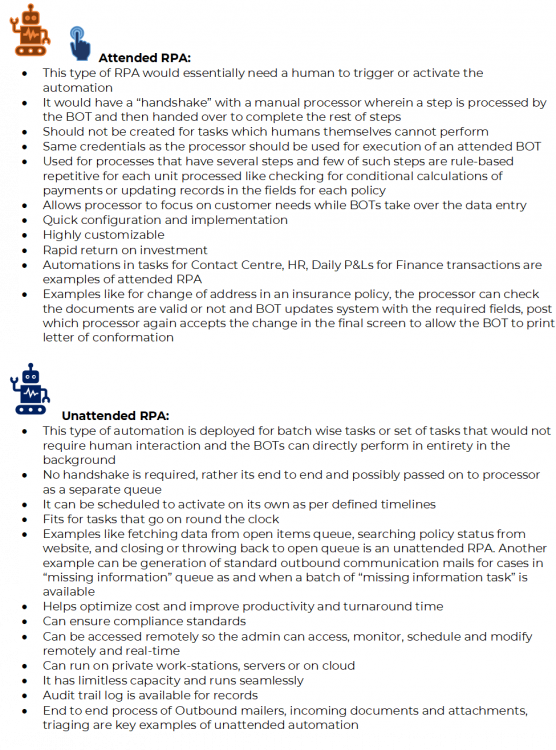
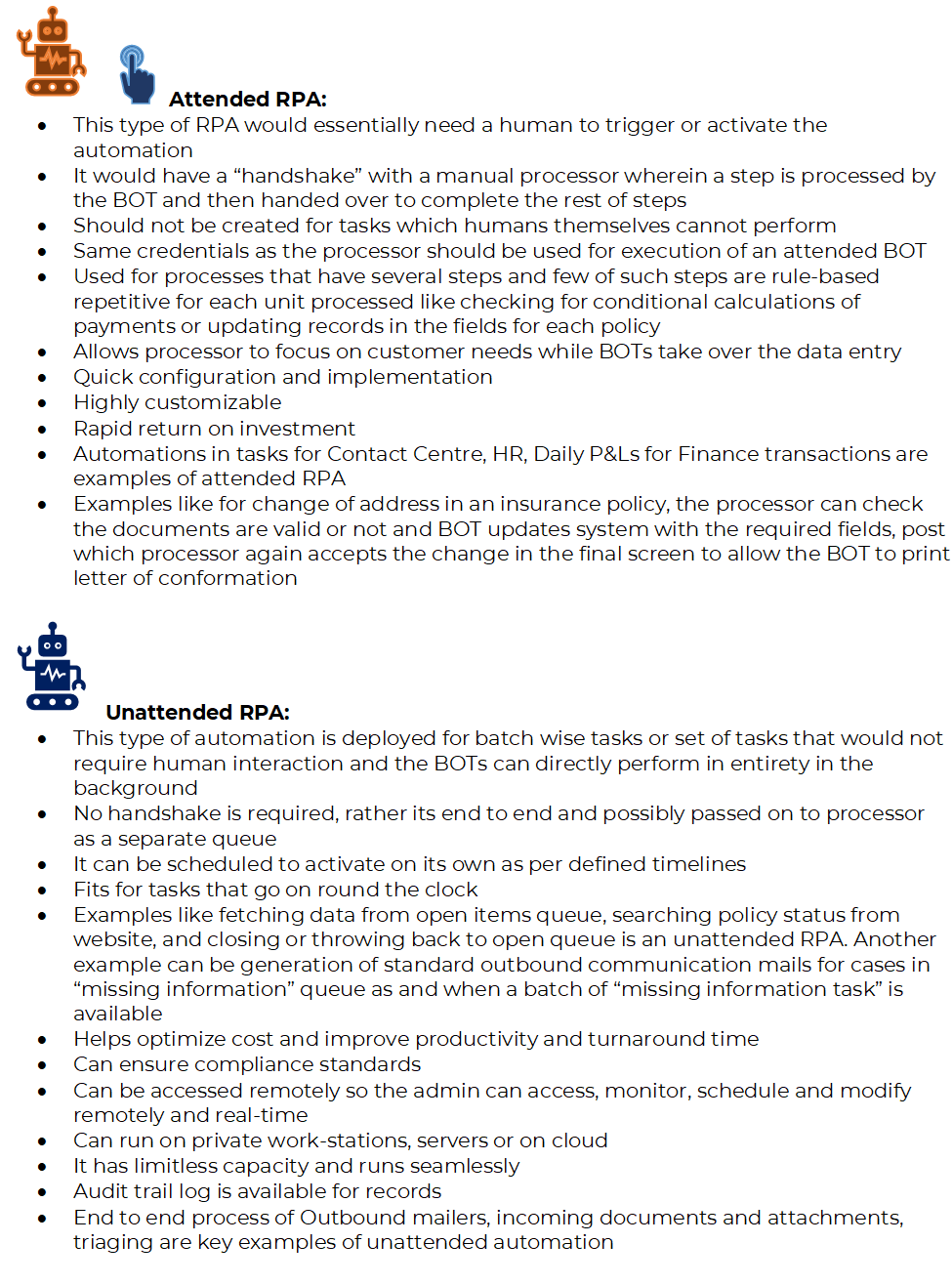
1 pointRPA or Robotic process automations are deployed to execute repetitive, rule-based routine tasks. The applications are coded with the commands to perform exactly what a human would do and are call BOTs which are the Robots. Across various sectors RPA is deployed to achieve a higher efficiency level in a short span of time. There are 2 types of RPA attended and unattended whereby it’s quite clear attended needs attention of someone. The RPA either attended or unattended, are deployed to replace human efforts, the benefits are in the form of reduced staff cost or staff realigned to complex processes and accurate processing. A glance through the 2 types of RPA is as below:
 1 point
 -
1 pointWhat comes to your mind when you think about robots or bots? Some human-looking machine that does physical tasks! R2-D2 or C-3PO from Star Wars! However, with the increasing complexity and connectivity of the enterprise, automation of tasks done by humans on a computer interface is increasingly being automated. These are called Bots and offer the company a unique versatility by allowing it to scale based on the workload, budget, and other operational constraints. This change in the level of operations is done without any work stoppage or disruptions to the value chain. Besides scaling, and providing a better product/service, bots also give the company the capacity to work faster, with more precision, and leaner. Processes requiring repetitive and tedious action, require different levels of automation with regard to processes requiring a high level of cognition. Bots can be attended and/or unattended. Attended and unattended bots can be deployed at the same time to create a synergized, unified integrated platform. Bots can be thought of as different musicians/sections in an orchestra with each musician playing their part to create a beautiful harmony. Unattended RPAs Unattended Automation requires nil to very little human intervention. They are self-triggered and the tasks are endlessly completed in a batch process. That is to say that these bots can work round the clock throughout the year. If required, these bots can be monitored and controlled remotely via different platforms or interfaces. They can be analyzed, viewed, scheduled, and modified in real-time. This gives the employee a means to interact and collaborate with the bots and breakdown the communication and functional silos in the organization. Use Case Unattended Bots. These types of bots are generally used in back-office scenarios where a large volume of data is collected, sorted, analyzed, and distributed in the enterprise. Claim processing in Insurance companies are suitable candidates. Examples of unattended automation scenarios are below: - · Exception Based – Fully Automated RPAs · Human Prepared Processing · Validation through Human in the Loop Exception Based – Fully Automated RPAs Example. Health Insurance Companies are required to process large volumes of claims and invoices. The data is generally stored in a mix of multiple legacy and modern systems. APIs are not available for the integration of these multiple systems. Data has to be verified, updated, and moved between these systems A fully automated bot can be created to verify, move, update the data across all these systems. Based on the Service Level Agreements, the optimum number of bots can be deployed to process these invoices and claims. Human Prepared Processing These are processes that require human intervention to start the process, however can be automated once the process is started. This combines human creativity with software efficiency. Example. Mortgage Companies process a very large volume of mortgages. The Mortgage process involves human logic that is necessary to start the process, however, the rest of the process is repetitive and can be automated. The human logic designates when the appraisal is ordered, the required additions, and the appraisal firm. Validation through Human in the Loop In some cases, some processes require human intermittent intervention. Automation can be built into the process to seek human intervention when a problem arises. Example. The Accounts Payable Departments repeatedly process different types of not-standard invoices in different formats and forms. Machine Learning and Optical Character Recognition can be used to read these invoices. However, in case the unattended bot is unable to recognize the data, a human being would be called upon to intervene in the process and then hand over the process back to the unattended bot. Attended RPAs Attended bots require human intervention. These bots are at the employee workstation level and triggered by specific commands, actions, or events that the employee engages within the workflow. Since it generally involves switching between multiple interfaces, screens during the employee workflow, these bots are designed to be user-friendly and agile. Attended bots are generally restricted to a specific workstation, section, or department making the automation generally restricted to the employee engaging in the workflow at that moment Use Case Attended RPAs. These bots are generally used in customer-facing tasks. Call Centres are an ideal place for the use of attended RPAs. Call Centre operators need to switch between different screens and interfaces while addressing a customer issue. The unattended bots generally take care of the tasks involved in entering/retrieving the data so that the operator can spend more time interacting with the customer. Examples of attended automation scenarios are below: - · Attended, Interval: Robot takeover · Attended, in tandem: Working alongside the robot Attended, Interval: Robot takeover In Financial services companies, the process requires robot intervention at various stages to handle monotonous and repetitive tasks. The human can hand over control to the robot by some shortcut key to hand over this part of the process to the robot. In this model, there are a number of switches between the human and robot in order to complete the task. Attended, in tandem: Working alongside the robot This model is used when humans need to move between a conversation (Call centre) and repetitive tasks. This calls for humans and robots working alongside each other. In this case, the agent continues to focus on the customer, while the robot does the routine and mundane tasks References https://www.uipath.com/blog/rpa/unattended-attended-automation https://www.uipath.com/blog/automation/rpa-use-cases-part-one-unattended-robots https://www.uipath.com/blog/automation/rpa-use-cases-for-attended-robots-automation1 point
-
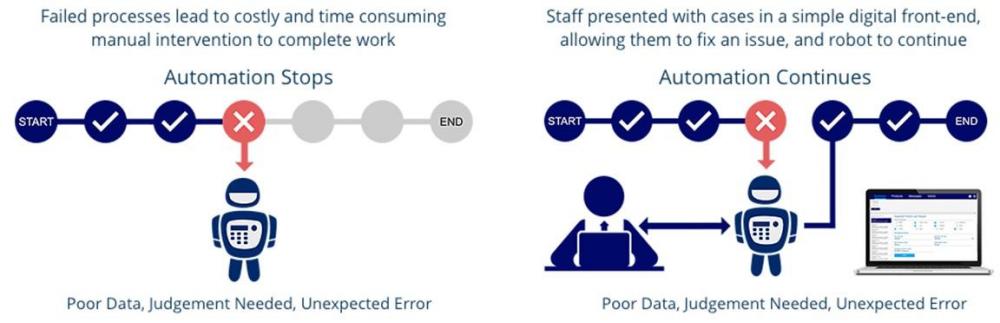
1 pointOutline: Attended Bots are used explicitly when we cannot automate the entire end to end process. These Bots are commonly referred as “Human-In-the-Loop” Automations (HitL). Typically, the transaction is carried by both Human and Digital worker together, were the exchange/interaction and handover of data happens based on the defined logics. On the contrary, unattended bots complete the transactions by interacting with various applications, independently, without human intervention. Comparisons: Unattended RPA Attended RPA (RDA / HitL) Virtual digital employee working in background Assistant to human / Human-bot collaboration Focus on improving process efficiency Focus on improving employee productivity Ideal for process based automation Ideal for task based automation Bot executes complete transaction (Start to finish, end to end) Bot executes partial transaction and manually completed by human intervention Used for repetitive, more frequent and simple process Used for complex processes which requires human decision making Rule based execution Human/system triggered and involves manual inputs to execute the task Typically performs Batch Operation Mostly in attended RPA, it is transaction/Interaction wise and not batch based Works on preset schedule Real time or waits in queue for human processing Can run on work station, servers and on cloud Usually runs on work station / single employee's desktop Can complete end to end transaction and can work 24/7 Have to wait for human actions to complete the transaction. Running 24/7 can create bottleneck, in the waiting queue to close the task Apt for back office support More suitable for Front Office Support / Service desk / Help desk / Customer Contact Center, typically Customer facing roles Server to bot communication is automated process version deployment only Server to bot communication can be automated process version deployment, start or can reset processes Frees employees from routine mundane work, reduces cost and accelerates processes Increases productivity and customer service in service environments Can be scheduled from centralized server, remotely Mostly human trigger, real time and done on work station In the Human in the Loop Automation environment, there could be single or multiple human interventions, either in the start, mid or in the end of the event depending about the coded logics. Process Examples: Unattended Automation · Apt for back-office processes at scale · Invoice management system · Email management / Mass customer email (BFSI, Telecom, Healthcare) · Manual data entry / Data migration · Sales orders · KYC (Know your customer) · Payroll automation · Absence management · Expense management · Storing Customer details / Customer onboarding / Update CRM · Processing Express Refunds · Bank statement reconciliation · Letter Generation · Extract data from different formats/applications (from PDF, scanned documents, etc.) · Periodic report preparation · Update user preference (Opt-out communication) · Data updates and validation · Credit card application (seamless based on CIBIL scores) · Proof of delivery (POD) · Patient appointment scheduling (Healthcare) · Transferring b-cards to sales force Attended Automation · Apt for contact center operations / front office support · Extract customer data from CRM automatically during employee-customer interaction · Profit and Loss updates · Address change approval triggered by employee based on correctness and completeness · Compliance management (Human approval, BISO involvement) · Loan processing (Final approval from the Loan officer) · High value claim processing (Human authentication) · Quote-to-cash (document-based data extraction) · Procure-to-pay (document-based data extraction) · Source-to-pay (document-based data extraction) Below are some of the advantages for Attended Automation over unattended automation: · It is Agile · Comparatively user friendly · It removes real time data entry work · Improves team efficiency · Progresses team productivity · Improves C-SAT, NPS scores · It requires minimal setup · Deployment is Rapid · Achieves ROI swiftly To conclude, in an attended automation environment, automation does not stops, as it collaborates with human to complete the automation process. Take away: Organization can choose any of the RPA bot types and deploy as per the necessity and business needs. Nevertheless, having a unified platform (ideally Hybrid platform) to handle both attended and unattended bots would be a superlative choice. Both RPA and RDA are integral part of Intelligent Automation Suite. However, the primary objective of going for an Automation, is to have minimal human involvement in the business process flow, hence RPA has an upper hand compared to RDA.

 1 point
 -
1 pointThere is no best answer to this question. In terms of Project Management, scope refers to the detailed list of expected deliverables after the successful completion of the project. In the initiation phase, there is a high level of understanding of scope which is then detailed out (using tools like WBS) in the planning phase along with resource requirements and predecessors. In DMAIC approach, scope refers to the boundaries of the process within which the improvement or change is required.1 point
-
1 pointProject management is process of execution of work to meet the goals. It contains five phase` • Initiation • Planning • Execution • Monitoring Initiation: Initiation phase in project defines Goals, objective of project. As before starting of project, we need to Define objective goals of project which should be known before start of project. Planning: Scope for projects included in planning as we can get to know more drill down as we work more on Concepts. Scope also can be define as work to be done in order Scope defines business need,deliverables,key milestones. In project management it include in planning stage as it may varies or changes as per scenarios. Variation in Target or concept of stake holder may happen. This is one of reason scope is align in planning phase Some time Scope is unclear, incomplete. Planning Phase help improvisation on this leading to project success. In Lean Six Sigma Project charter is done in define phase which included Scope Here scope defines the improvement and benefit out of output what we are willing get. It gives clarity of financial impact to overcome, example :avoid penalty, winning rewards Both approaches have ther own advantages in their way. In Six Sigma we get mor clarity and more drill down in analysis if scope define well i Also Lean six sigma approach is more in sequence in order to work on project.1 point
-
1 pointIt is recognized in the world of PMP as well as in DMAIC Projects that Scope is essentially the narration of all the work that needs to be done to deliver or achieve the objectives of a project. However, there is a different relevance of the scope in both the approaches, when comprehended separately. At the onset we must understand the difference in the approaches between the PMP Project and DMAIC Project including the relevance of scope Sr# PMP Approach DMAIC Approach 1 Focus is on improving the Success rate of projects Focus is on finding and eliminating defects within a specific process 2 Objective through the 6 Steps of Initiation, Planning,Executing,Monitoring & Controlling and Closing is to plan and execute a project 100% as per specification approved by the “SPONSOR” or the defined “authority”- "Not more , Not Less" The objective through the 5 Steps of Define, Measure,Analyse,Improve and Control is to reduce wastages and spends on a specific process 3 Aims at completing a project by a specific deadline Has a continuous control phase 4 Standardised Practices are used to efficiently deliver a activity that meets a predefined goal Uses data driven methods and statistics to identify and solve a Challenge in a Process 5 Project Scope refers to the detailed set of deliverables or features of a project. These deliverables are derived from a project's requirements. a scope statement outlines the entire project, including any deliverables and their features, as well as a list of stakeholders who will be affected. It will also include any other major project objectives, deliverables and goals to help measure success. The tools that best describe a project scope are - Project Scope Statement - Work Breakdown Structure (WBS) - WBS Dictionary The project scope statement defines the boundaries of the project. The project scope keeps the team on purpose, in alignment, contained, focused, and motivated. The scope might include: - The start time and stop time - The duration - The process boundaries (what is within scope, and what is out of scope) - The sub processes involved - The product lines - The locations (the divisions, the states, the territories, the countries, etc.) What stands out significantly in the above differentiation is that; - The PMP approach is activity based which is time bound and handed over to the operations after the project is over, whereas the DMAIC approach is process level oriented is taken during the operations itself. - There is a closing in the PMP approach which means that the project is over once the defined objective is made. Whereas in the DMAIC approach the control phase is continuous. The scope, hence, needs to be more in detail and specific with timelines in the PMP approach. Therefore the Project Charter contains an overview of the project scope only and the charter is presented to the “Sponsor” for approval and to ensure the rights and power of the Project manager and the involvement and contribution of all stakeholders. The start date and end date may be mentioned. As the scope in the PMP approach has to be specific and the sub activities and coordination’s also are to be time bound the project scope statement is made separately. The idea is to avoid any ambiguity around how and what the outcome of the project will be. This allows the project manager and his team to track timelines of the detailed WBS and ensure that the success rate of the project is at 100%. The same compulsion does not exist in the DMAIC approach as though the scope boundaries are mentioned, it can be changed if the efficiency and effectiveness of the process is impacted positively in the improve and control phase, through many improvement tools available in Six sigma. The same applies if the impact is not visible, then the method of Improvement and relevant control also can be changed and there is no rigidity. Therefore, the overview of the scope is mentioned in the Project Charter itself. Betterment of the process output is the objective of the Green belt or Black belt who leads the project or set of projects. (To lead a Six Sigma project, a person typically needs to have reached the Black Belt level) It is prudent for the top management of an organization to believe that, as put forth above, a six sigma professional is proficient at finding and solving a problem and a PMP project manager is adept at correctly implementing the project itself. Merging both the approaches “smartly” is the best idea to ensure that the organization benefits from the outputs of the efficient and effective implementation of solutions derived for defects in any process that has potential to add value.1 point



This leaderboard is set to Kolkata/GMT+05:30