

Topics
-
Fifty-five women engineering students completed an AI bootcamp focused on rural Karnataka. Participants developed AI-based solutions after visiting villages and conducting field interviews. The She Innovates bootcamp partnered with several organizations to achieve its goals. This initiative aims to boost women's participation in AI and entrepreneurship. It encourages AI applications for rural development and community-focused sectors. View the full article
-
Besi's quarterly orders more than doubled, fueled by AI and hybrid bonding technology. The company saw increased customer adoption of its advanced chip packaging solutions. Demand for AI applications continues to drive growth in data centers. Besi anticipates revenue growth between ten and fifteen percent. This strong performance aligns with other semiconductor sector reports. View the full article



Leaderboard
-
Mohamed Asif Abdul Hameed
Fraternity Members1Points78Posts -
Chandra Shekhar Chauhan
Members1Points11Posts


Popular Content
Showing content with the highest reputation on 08/02/2022 in Posts
-
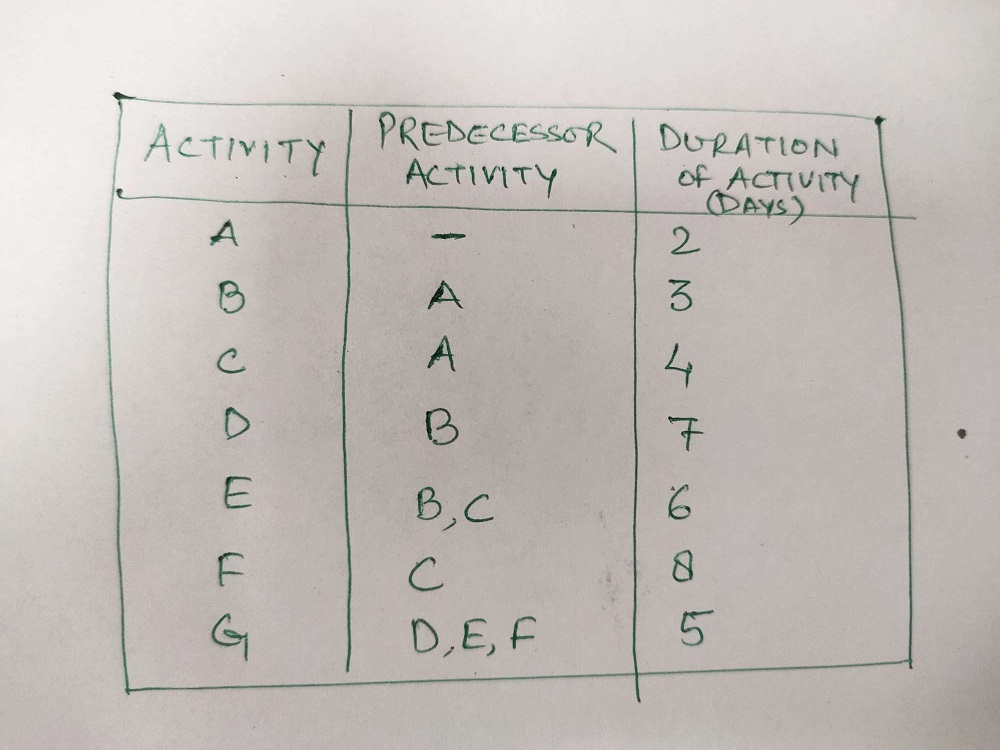
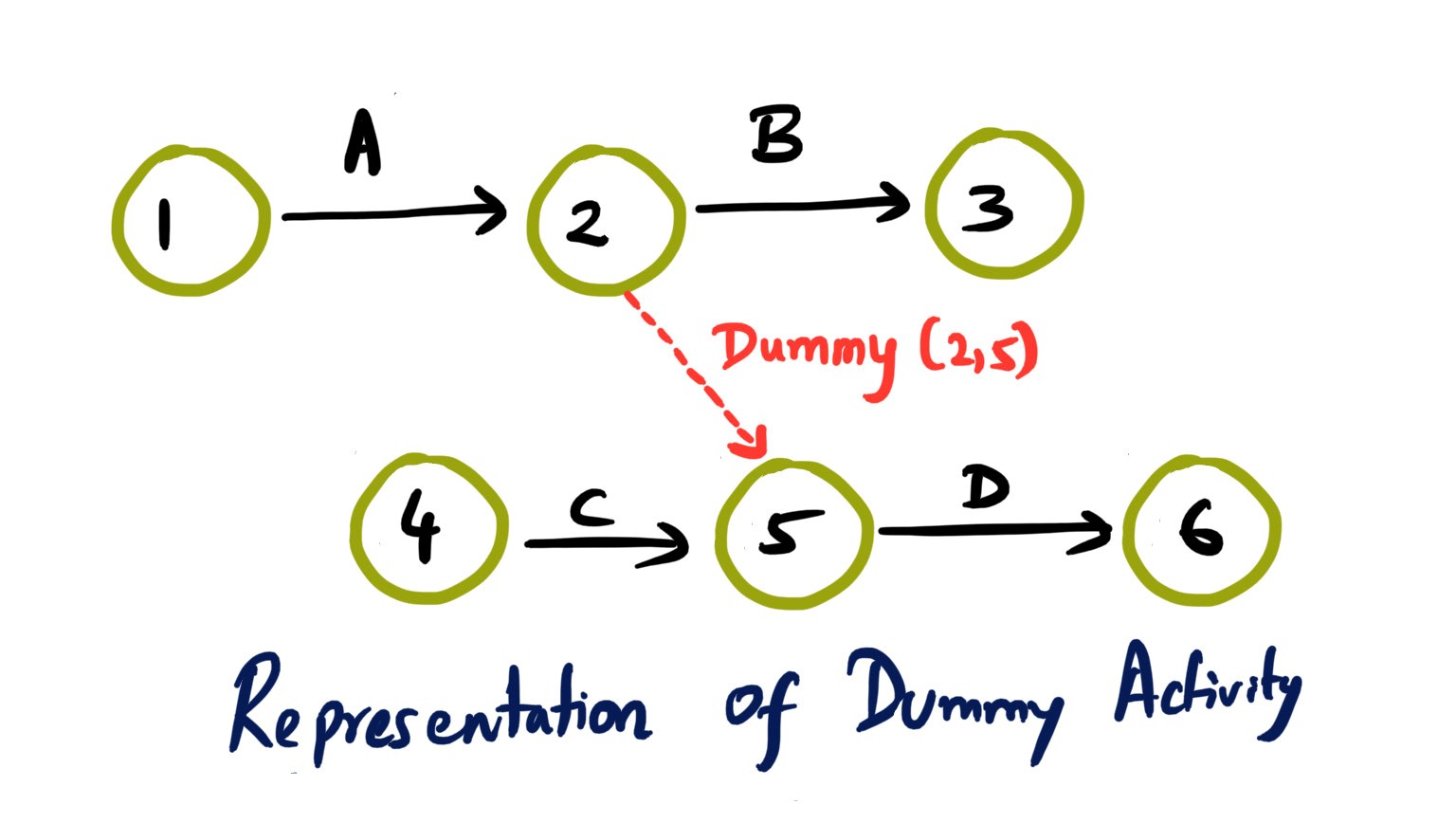
1 pointNetwork Diagram : Network Diagrams mainly are 2 types - Activity on arrow (AoA) and activity on node (AoN) are being used to analyze various tasks involved for completing any project, especially when it is being used most to the time that is required to complete each task and the minimum amount of the time that is required to complete the entire project. It is well known method which comes under the Program Evaluation and Review Technique called as PERT. There are 3 stages involved in developing a network diagrams are; - Planning stage - Sequencing stage - Scheduling stage AoA - Activity on Arrow It use arrows to represent activities while nodes stand for events. Each nodes contains 3 numerical values : * Start time * Finish Time * Float or Slack AoA diagrams show the finish to start relationships with a limited offer like Arrow represents the time span from the event at the start of the arrow to the event at the end. Activities that are represented as arrows have to be added to illustrate some of the more complicated relationships and dependencies that are present between the activities. Such diagrams used dummy activity to show the relationship among various dependencies and dummy activity need Zero time to complete it. AoN - Activity on Node Each activity is represented by Arrow with nodes at each end to represent the Start and Finish of the activity. In AoN diagrams, the activity is placed on the node. The interconnection arrows would illustrate the dependencies that are there between the activities. They are more flexible and are capable of illustrating the main relationship types. Since the activity is on node the data usually can be placed on the activity. Such diagram usually start from Start Node and end with the End node. And generally dummy activity is not being used. We can easily understand the difference between AoA and AoN diagram with this example; So what should we use? While there are some fundamental differences between AoA and AoN network diagrams, choosing one over the other is based on individual project requirements and some time matter of the personal choice. Some of the basic differences would be as follows. AoA networks were more popular in the 1960s and 70s. AoN focus on Task while AoA focus on Events. AoN diagrams are generally easier to Create as compared to AoA diagrams. AoA shows only finish to start relationship, while AoN can show any type of relationship like finish to start, finish to finish, start to start, start to finish. AoN is widely used network diagram technique and supported by most of the project management software's.

 1 point
 -
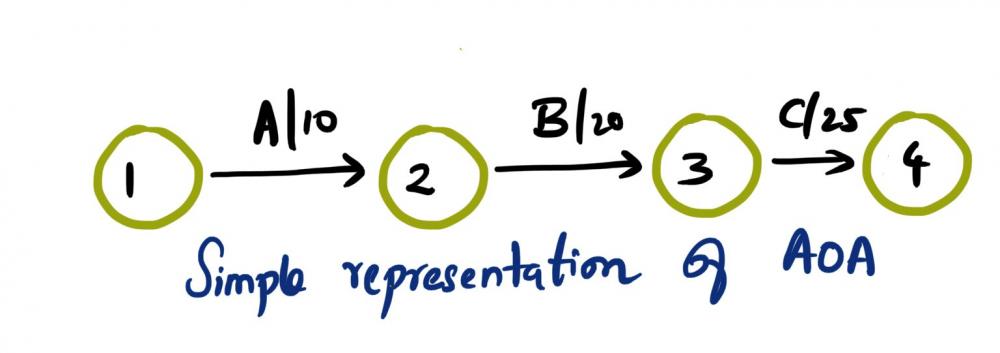
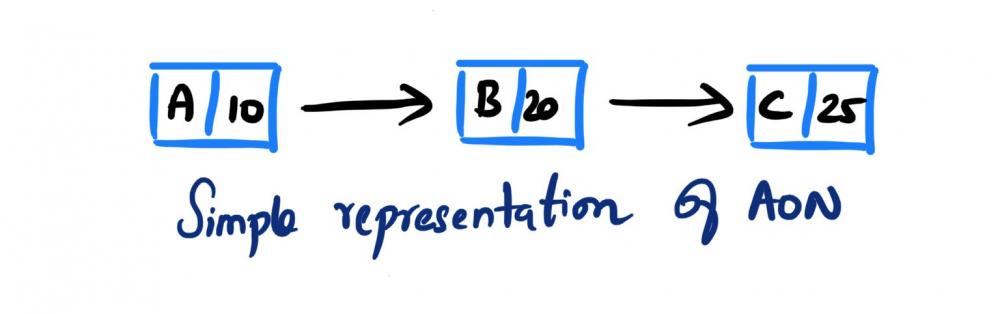
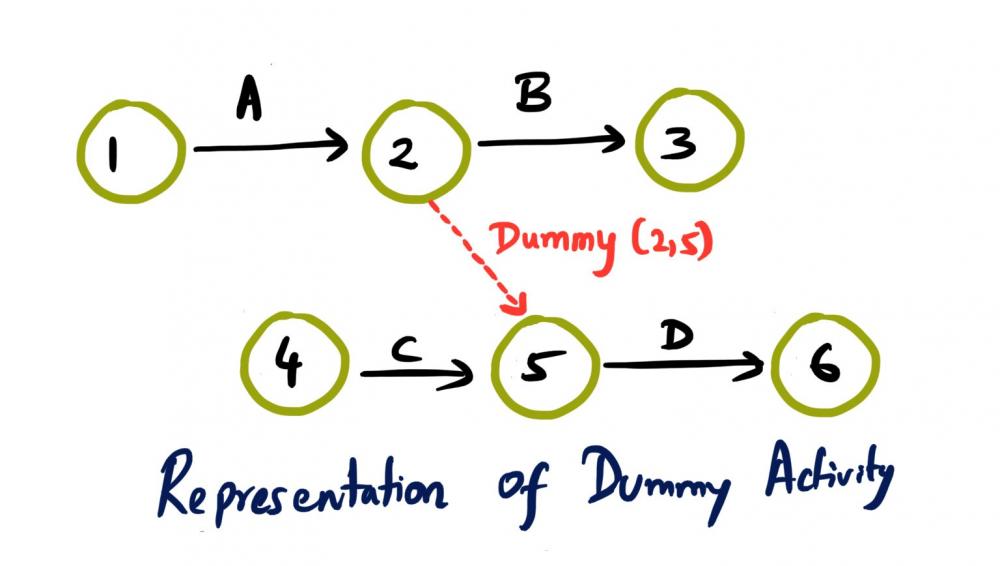
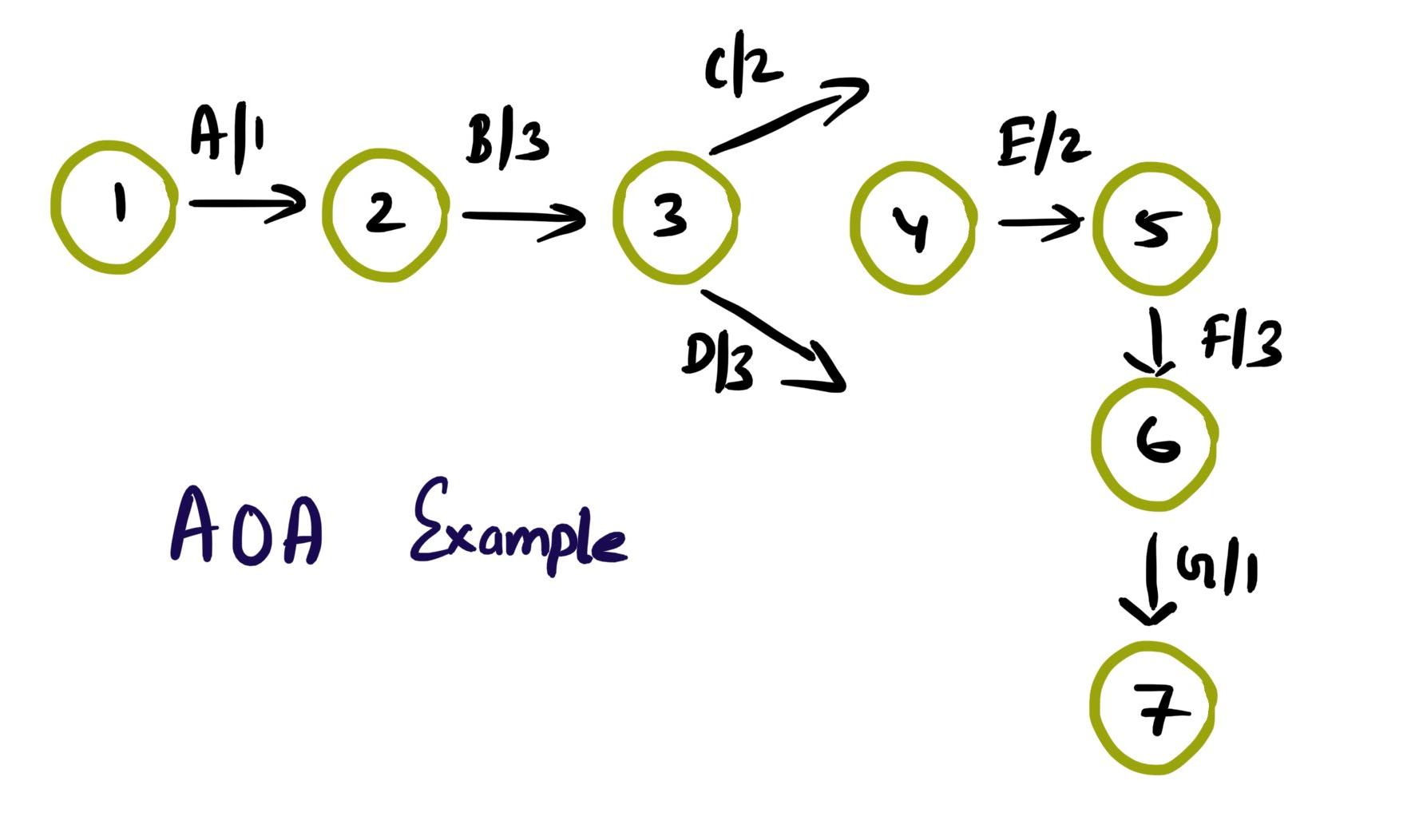
1 pointActivity on Arrow (AOA), as the name implies, these network diagrams denote each activity as an arrow. Here the nodes denote the start and end of an activity. Activity on Node (AON), this method is also referred as Precedence Diagram Method (PDM), and here the arrow represents the logical relationship amounts the activities and the nodes denote activities. Decision: Even though both methods accomplish same results, practitioners prefer AON over AOA, as it does not require the use of dummy activities. Dummy activity (connecting link) is an imaginary activity, which does not require any time not any resource, still used to identify the dependence among operation. Whilst we can maintain the network Logic and avoid opacity (difficulty in interpretation). In AON, as activities are represented by nodes and its interdependency can be directly denoted by connected arrows, accordingly there is no need of dummy activity. Considerations: AOA, can have several separate possible networks illustrating the same project, contra AON representations are unique AON diagrams are comparatively easier to create and interpret When it comes to amendments, design changes are easier in AON, then doing the same on AOA structure AON focuses on tasks, whilst AOA focuses on events Leaders every so often, get confused with AOA networks and prefer to see more of AON representations Lets consider the below example and design the respective AOA and AON structures. Choose Project, A, 1 Discovery, B, 3 Get Go ahead, C, 2 Data Collection, D, 3 Assemble team and Kickoff, E, 2 Finalize actionable, F, 3 Leadership Summary, G, 1 Although AON is advantageous, it becomes challenging under the below listed situations: Path tracking by activity number is hard When there are multiple dependencies, drawing and interpreting becomes difficult Ruling: Certain Planning and Optimization techniques precisely require AOA network structure, and some might require AON format. It is hard to prefer one, yet opting AOA over AON and conversely, is solely based on specific project requirement. Nevertheless, the advantages of AON become more apparent and takes the upper hand over AOA.
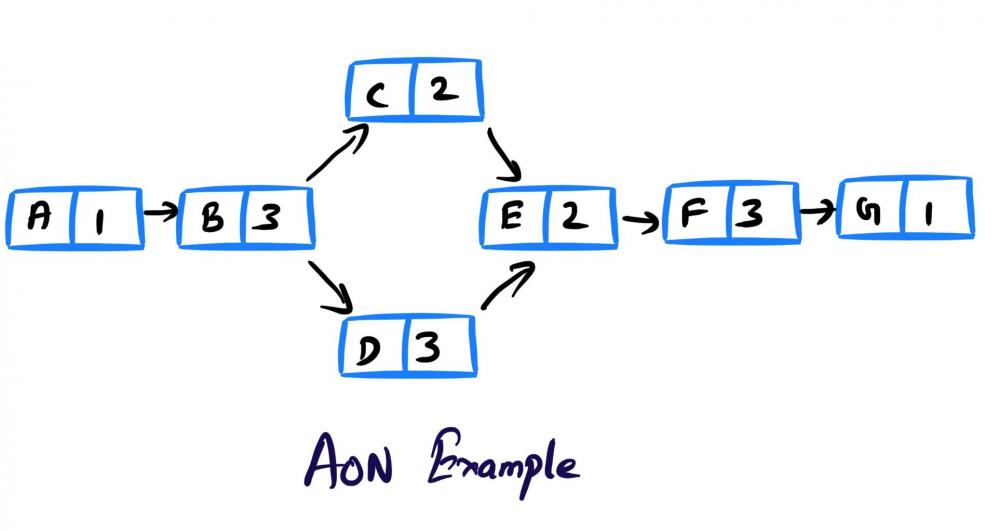
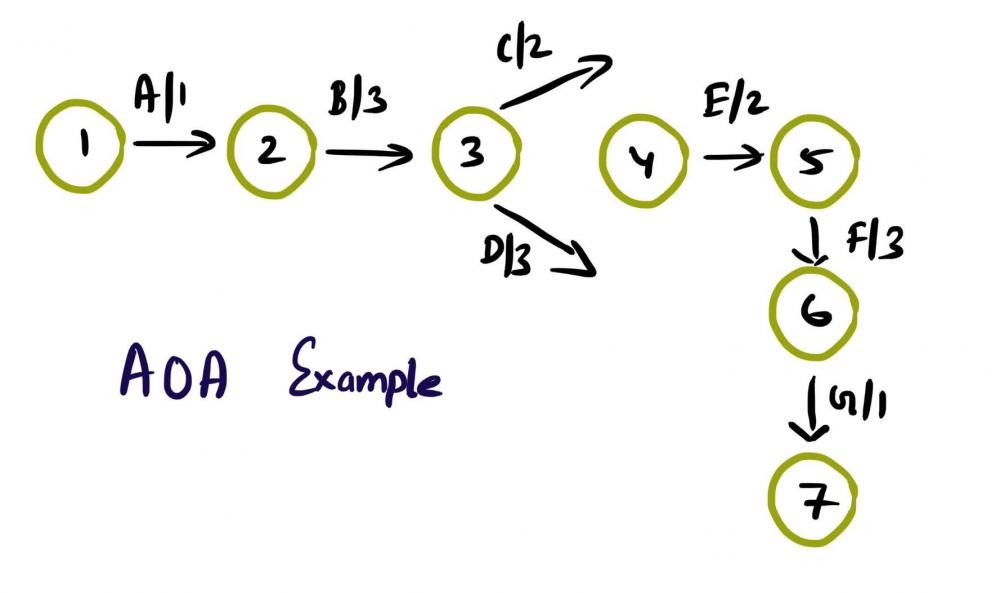 1 point
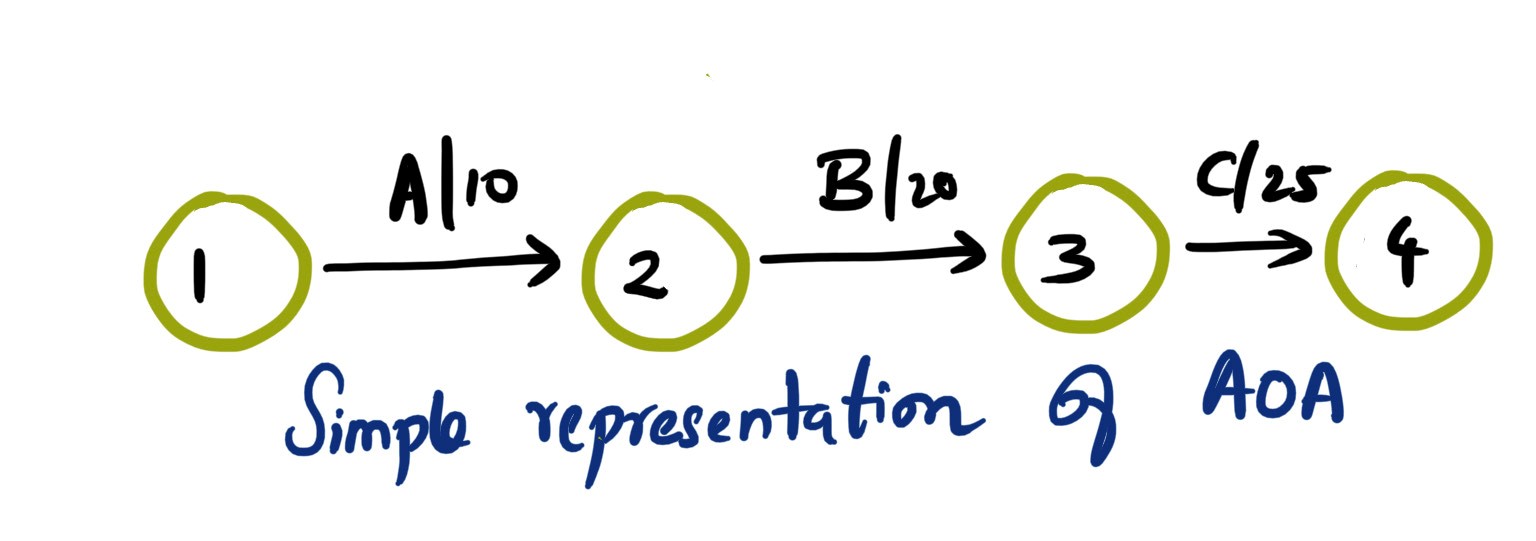
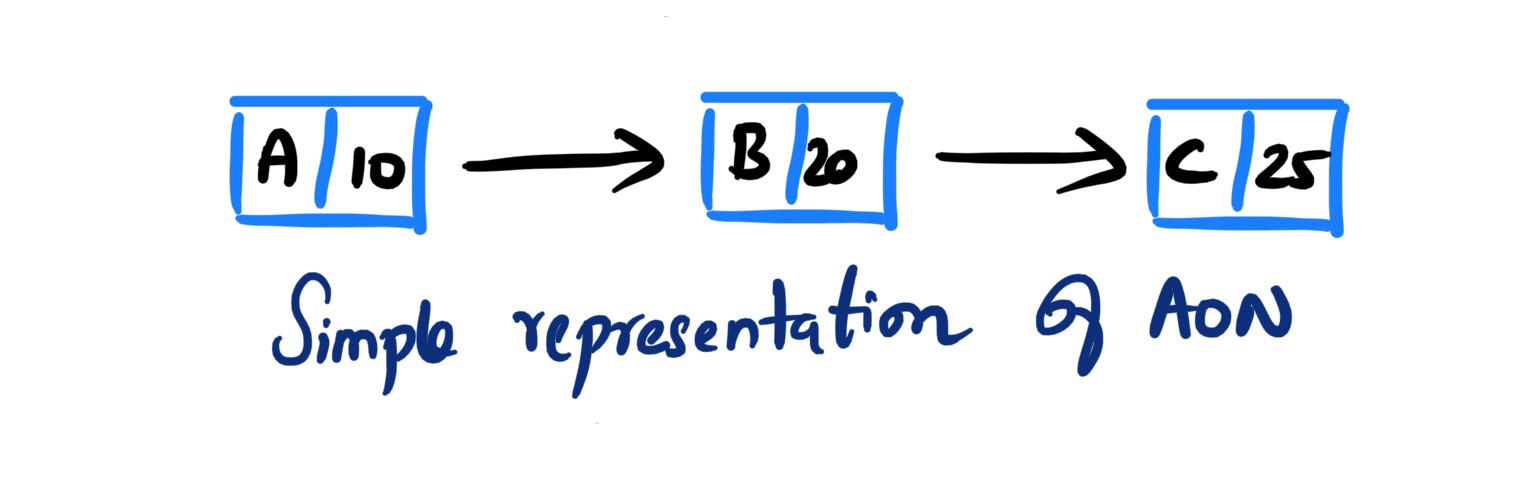

This leaderboard is set to Kolkata/GMT+05:30