

Topics
-
Jeff Bezos is pushing Prime Video's overhaul to highlight Amazon's AI. The project, known as Lighthouse, aims to showcase AI for millions of users. This initiative seeks to elevate Amazon's standing in the competitive AI landscape. New features will improve content recommendations and respond to spoken requests. Bezos' personal involvement underscores the strategic importance of this AI integration. View the full article
-
Advanced Micro Devices is launching new artificial intelligence hardware on Thursday. This new hardware aims to compete directly with Nvidia's offerings. AMD is targeting the growing data center inference computing market. The company also announced significant deals with AI labs Anthropic and OpenAI. These agreements position AMD for substantial future revenue in the chip sector. View the full article


Leaderboard
-
Vishwadeep Khatri
Administrators1Points6,727Posts
Popular Content
Showing content with the highest reputation on 10/30/2019 in all areas
-
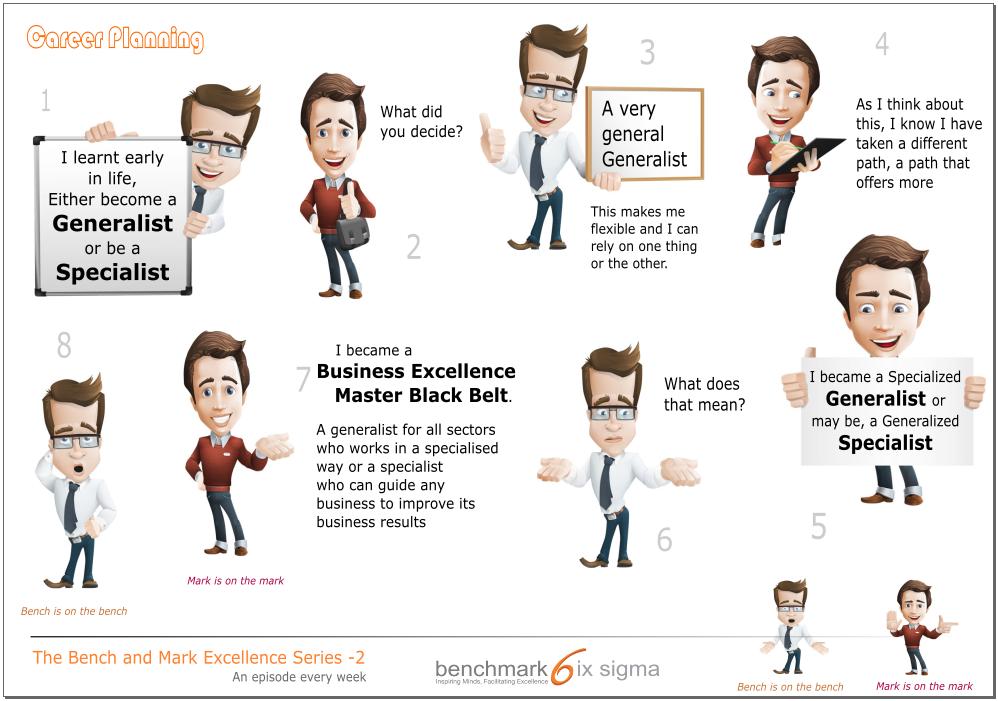
1 pointDescription - Bench happily highlights that while planning his career, he had considered the choice between being a Generalist or a Specialist early in his life. Mark wants to know about the decision that he took. Bench says that he decided to keep options open for himself and proclaims himself as a "very general Generalist". After listening to Bench, Mark says that he has realized that he has taken a path different from the two options. He considers himself as a "specialized Generalist" or what can be considered as a "generalized Specialist". Bench want to understand what this means. Mark explains that he is a Business Excellence Master Black Belt. He calls himself a generalized Specialist as he specializes in problem solving which he can do in any sector. He further explains that he could be considered a generalist too as he can work with large variety of processes but in a specialized way. This cartoon depicts that Lean Six Sigma and Business Excellence competencies allows one to be specialized without dependence on a specific industry or functional domain.
 1 point
This leaderboard is set to Kolkata/GMT+05:30