

Topics
-
Fifty-five women engineering students completed an AI bootcamp focused on rural Karnataka. Participants developed AI-based solutions after visiting villages and conducting field interviews. The She Innovates bootcamp partnered with several organizations to achieve its goals. This initiative aims to boost women's participation in AI and entrepreneurship. It encourages AI applications for rural development and community-focused sectors. View the full article
-
Besi's quarterly orders more than doubled, fueled by AI and hybrid bonding technology. The company saw increased customer adoption of its advanced chip packaging solutions. Demand for AI applications continues to drive growth in data centers. Besi anticipates revenue growth between ten and fifteen percent. This strong performance aligns with other semiconductor sector reports. View the full article



Leaderboard
-
Shrikant Angre
Members1Points20Posts

Popular Content
Showing content with the highest reputation on 02/26/2022 in Posts
-
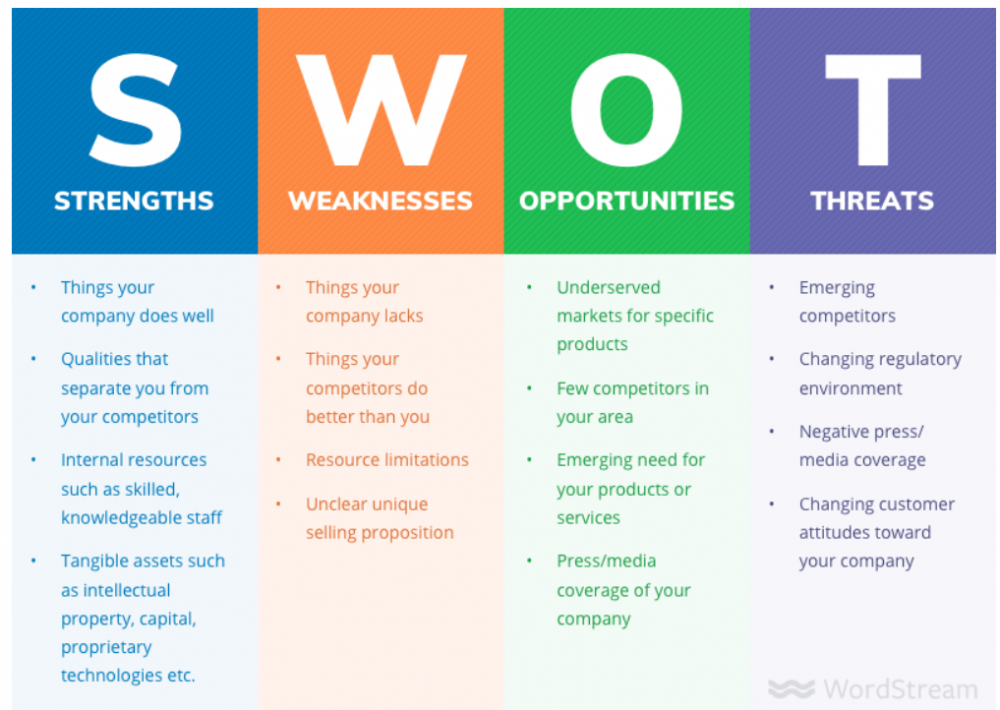
SWOT Analysis stands for Analyzing Strengths, Weakness, Opportunities and Threats. This is strategic business planning tool which any company or even a business unit should do it during their business planning exercise to try and understand how they are doing on the above 4 quadrants.. Strengths: Things that the company does well or is best at.. Unique things that the company is know in the market for.. Unique skills that the company possess Any key assets, or IPs that the company owns Weakness: Things that the company lacks Things that the competitors do better than the company Any resource limitations Opportunities: Markets untapped Untapped products Threats: Emerging competitors Disruption happening in market by any new company Disruption happening owing to any new product This tool can helo in building the future of the company and how the company can shape up and move forward.
 1 point

This leaderboard is set to Kolkata/GMT+05:30